Why I Killed My n8n Workflow and Replaced It With 500 Lines of TypeScript
Why I Killed My n8n Workflow and Replaced It With 500 Lines of TypeScript

- April 1, 2026
- 7:52 am
The external orchestrator I was using was n8N, and on paper, it appeared clean. However, the reality was different. It meant using three different services, handling frequent breakage whenever ngrok restarted, and duplicating credentials across systems.
Then I realized something that became a game-changer. What n8n was doing for me was something that my Express server could already handle.
So, I removed n8n completely.
I used around 500 lines of TypeScript to replace 1,582 lines of workflow JSON. It collapsed my setup from three services into a single npm run server. This helped me with complete control over my logic, debugging, and deployments.
In this post, I will break down how I did it all. It includes stepwise, phase-wise details and why, for me, using fewer tools gave me more power. If you want the full background on how this AI email system was originally designed, I’ve shared the complete architecture in my earlier post on building an AI email agent.
The Problem
I had built an AI-powered email system for a business consultancy platform, Digitech Nomads. Emails were received from multiple inboxes, including support, sales, partnerships, etc. AI-generated contextual responses focused on inbox tag and automated replies.
I was using a workflow automation tool, n8n, as an orchestration layer. It managed the process of receiving emails, processing them, and responding to them in a constant loop. This process was something that my Express server could manage, and I was simply adding to the challenges.
This is what my regular startup routine looked like:
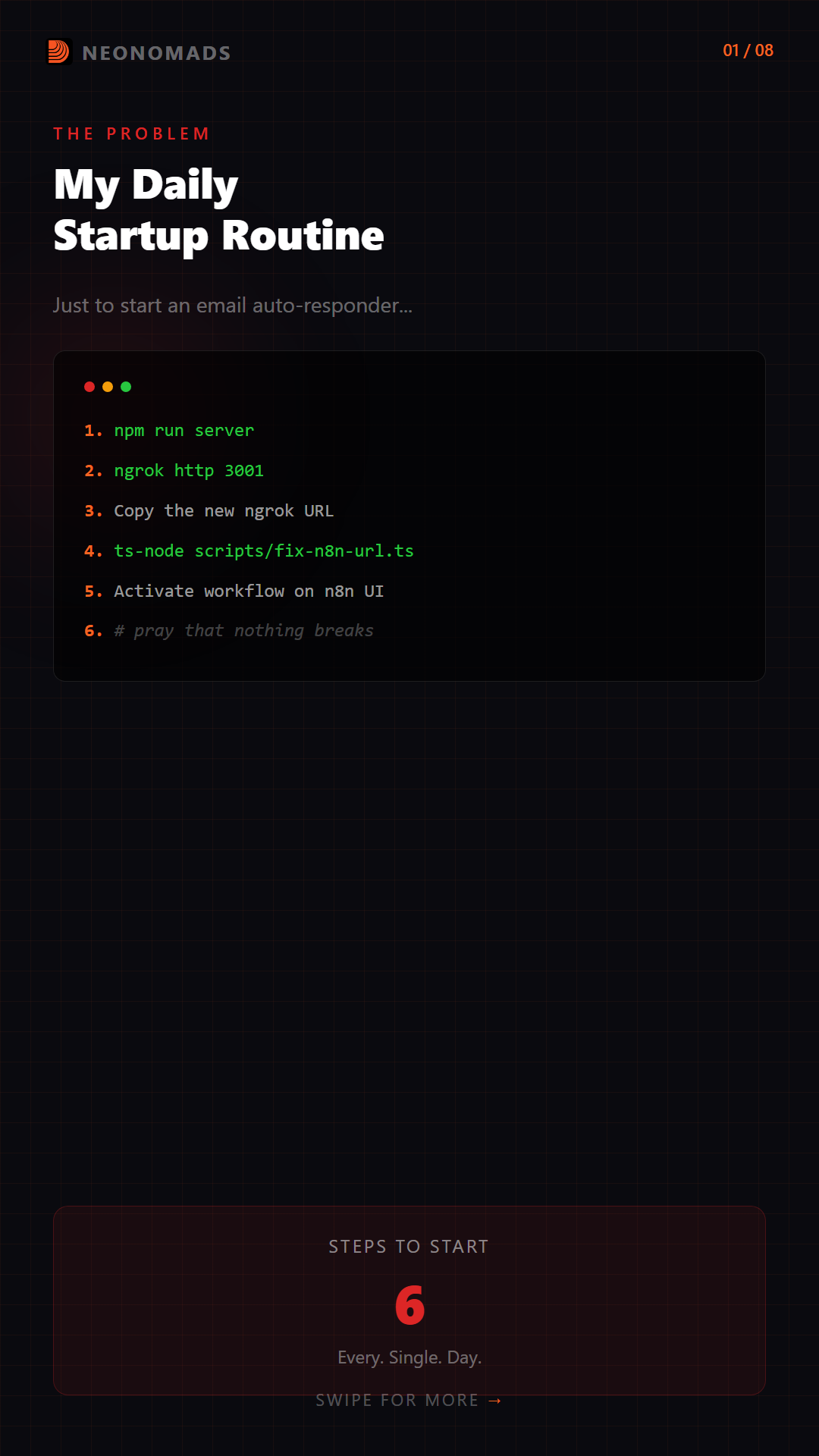 Step 1: Start the Express server (npm run server)
Step 2: Start an ngrok tunnel (ngrok http 3001)
Step 3: Copy the new ngrok URL
Step 4: Run fix-n8n-url.ts to update n8n (ts-node scripts/fix-n8n-url.ts)
Step 5: Activate the workflow on n8n (loop.digitechnomads.com)
Step 6: Pray that nothing breaks
Step 1: Start the Express server (npm run server)
Step 2: Start an ngrok tunnel (ngrok http 3001)
Step 3: Copy the new ngrok URL
Step 4: Run fix-n8n-url.ts to update n8n (ts-node scripts/fix-n8n-url.ts)
Step 5: Activate the workflow on n8n (loop.digitechnomads.com)
Step 6: Pray that nothing breaks
I followed six steps to initiate an email auto-responder. However, the whole pipeline broke down without any notification if ngrok restarted in the middle of work. Received no alerts or errors, but piles of emails without any responses.
Although I had been tolerating it for a long time, today was the day I killed it.
The Audit: What n8n Actually Did
I had to understand what n8n was responsible for before I deleted anything. Therefore, I outlined every n8n node to its equivalent across the existing Express codebase.
n8n Node
What It Did
Existing Server Code
IMAP Trigger
Poll for new emails
server/services/emailSync.ts — fetchEmailsFromIMAP()
Detect Tag
Derive tag from to-address
server/utils/emailHelpers.ts — deriveTag()
HTTP Request
Call Express API for AI response
server/index.ts — /api/n8n/email-response endpoint
SMTP Send
Send the reply
server/smtp/smtpPool.ts — nodemailer with connection pooling
Save to DB
Persist email record
server/utils/emailHelpers.ts — saveEmailToDB()
Thread Mgmt
Resolve email threads
server/utils/emailHelpers.ts — resolveThreadId()
n8n worked across every single thing. It was calling the functions of my server through HTTP routing through an ngrok tunnel over the public internet and back to localhost.
n8n (remote server) → HTTP request over internet → ngrok tunnel → localhost:3001/api/n8n/email-response → Express processes it → sends response back through the same chainIt was exactly the same as mailing a letter to yourself through the post when you could have walked to your next room.
The Pain Points (All Seven of Them)
#
Pain Point
Impact
1
ngrok dependency
URL changes every restart, requires fix-n8n-url.ts script
2
External service
Remote n8n at loop.digitechnomads.com — another server to maintain
3
Credential duplication
IMAP/SMTP/API keys in both .env AND n8n UI
4
Split debugging
Errors across n8n logs + Express logs + ngrok status
5
Latency
n8n → internet → ngrok → localhost round-trip for every API call
6
Cost
n8n hosting for a single workflow
7
Silent failures
ngrok tunnel drops = pipeline dies with zero alerts
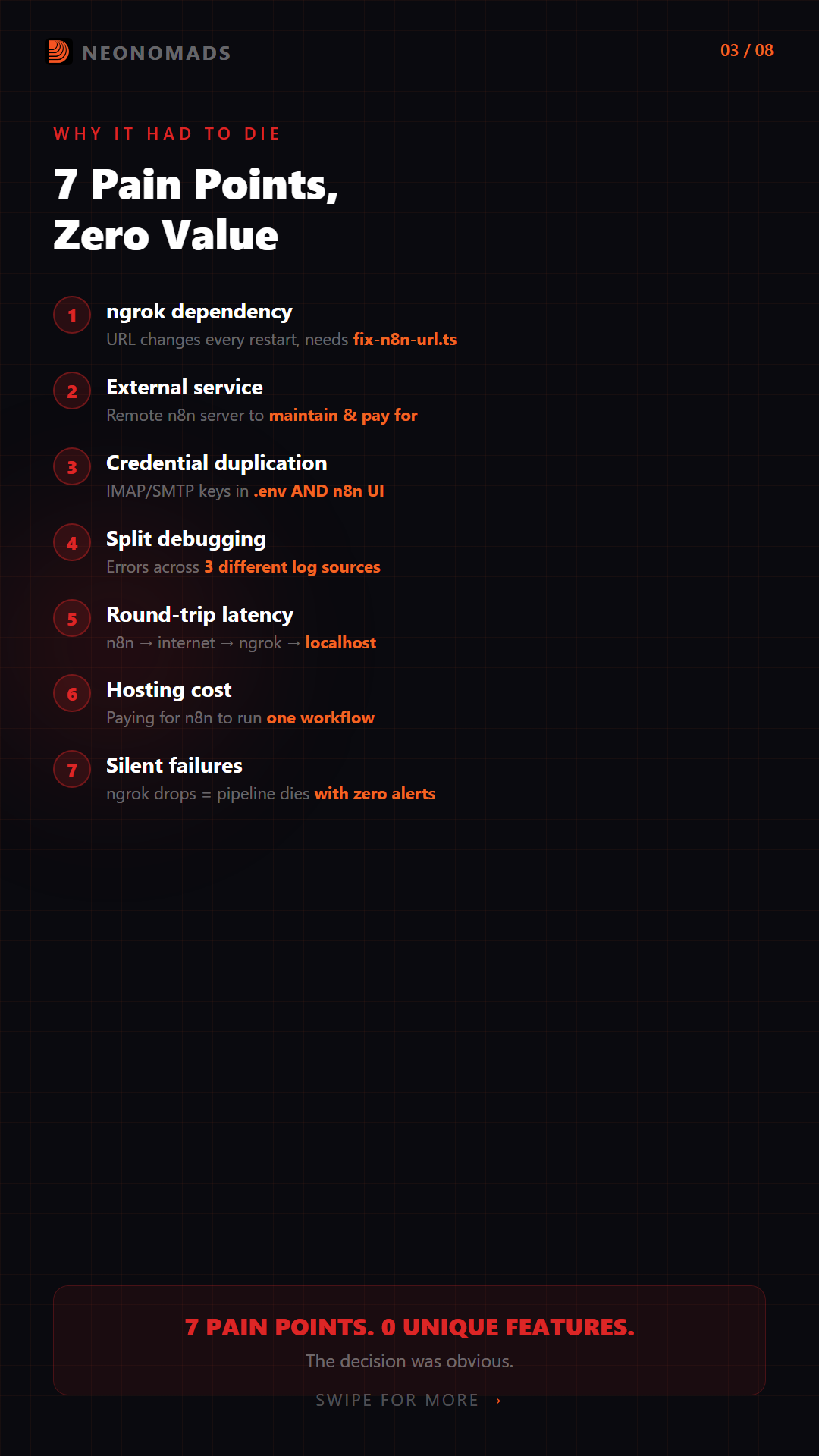
All seven of these were the pain points that had no functionality. And this is what made my decision obvious.
The Target: One Command, Zero Dependencies
This is how I wanted the architecture to look:
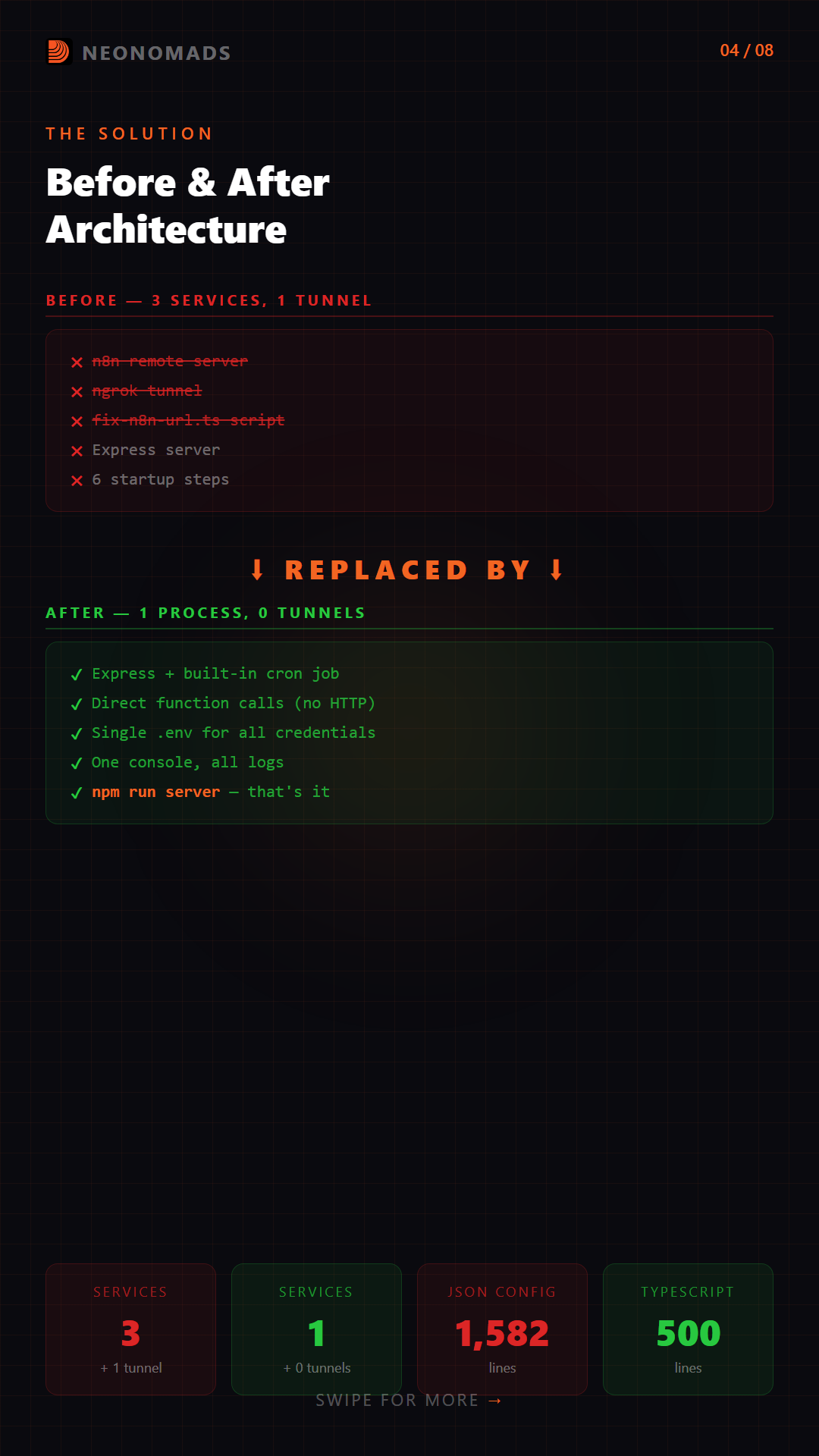
BEFORE (3 services, 1 tunnel, 1 prayer): Incoming Email │ ▼ ┌─────────────────────────────────────────────┐ │ n8n (remote: loop.digitechnomads.com) │ │ IMAP ─▶ Detect Tag ─▶ HTTP Req ─▶ SMTP │ └────────────────────────────┬────────────────┘ │ ngrok tunnel ▼ ┌──────────────┐ ┌──────────────┐ ┌──────────────┐ │ Express API │─▶│ PostgreSQL │◀─│ React App │ └──────────────┘ └──────────────┘ └──────────────┘ AFTER (1 process, 0 external deps): Incoming Email │ ▼ ┌─────────────────────────────────────────────┐ │ Express Server (single process) │ │ │ │ Cron Job (every 3 min) │ │ │ │ │ ▼ │ │ IMAP Fetch ─▶ Tag ─▶ AI Generate ─▶ SMTP │ │ │ │ PostgreSQL (save email + auto-reply) │ └─────────────────────────────────────────────┘ │ ▼ ┌──────────────┐ │ React Dashboard │ (no changes needed)This included no n8n, no ngrok, no external service, and no tunnel. It involved only my Express server with a cron job.
Phase 1: Extract the AI Brain
The logic behind the AI email response was embedded inline within a 90-line. Express endpoint at /api/n8n/email-response. Both my future auto-responder and endpoint require it. So the first step was to extract it into a reusable function.
The Extracted Service
// server/services/emailResponseGenerator.ts const SYSTEM_PROMPTS: Record<string, string> = { 'Hello': `You are the AI assistant for DigiTech Nomads... You handle sales inquiries professionally and warmly. Always guide prospects to book a consultation.`, 'Partners': `You handle partnership inquiries...`, 'Support': `You handle customer support...`, 'Neo': `You operate through the Neo inbox... Handle inquiries about emerging tech, AI solutions, automation.`, 'General': `Handle inquiries professionally...`, }; export interface EmailResponseInput { from_name?: string; from_email: string; subject: string; body: string; tag: string; is_reply?: boolean; thread_history?: string; } export async function generateEmailResponse( input: EmailResponseInput, callAI: (messages: { role: string; content: string }[]) => Promise, model: string, modelName: string, ): Promise<{ success: boolean; response: string; model: string; model_name: string }> { const systemPrompt = SYSTEM_PROMPTS[input.tag] || SYSTEM_PROMPTS['General']; const messages: { role: string; content: string }[] = [ { role: 'system', content: systemPrompt } ]; if (input.is_reply && input.thread_history) { messages.push({ role: 'assistant', content: `Previous conversation:\n${input.thread_history}` }); } messages.push({ role: 'user', content: `Email from: ${input.from_name || input.from_email}\nSubject: ${input.subject}\n\n${input.body}` }); let aiResponse = await callAI(messages); // Clean up AI artifacts aiResponse = aiResponse .replace(/[\s\S]*?<\/think>/gi, '') .replace(/\[Test User\]/gi, input.from_name || 'there') .replace(/\[Your Name\]/gi, 'DigiTech Nomads Team') .trim(); return { success: true, response: aiResponse, model, model_name: modelName }; }The existing endpoint then turned into a thin wrapper:
// server/index.ts — refactored endpoint app.post('/api/n8n/email-response', async (req, res) => { try { const result = await generateEmailResponse( req.body, callAI, currentAiModel, AI_MODELS[currentAiModel].name, ); res.json(result); } catch (error: any) { res.status(500).json({ success: false, error: error.message }); } });So, 90 lines of inline logic included a single function call. And now it has become a part of the system that generates email responses.
Phase 2: Build the Auto-Responder
This phase had been the core replacement. A single service file that performed the way n8n did, however, within the process.
The Architecture
The auto-responder is typically a cron job that operates every 3 minutes. For every configured inbox, it:
- Fetched new emails through IMAP (existing fetchEmailsFromIMAP())
- Saved them to databases with deduplication (existing saveEmailToDB())
- Generated AI responses using the extracted function
- Sends reply via SMTP (existing smtpPool)
- Records auto-reply in the database
The Core Logic
// server/services/emailAutoResponder.ts import cron from 'node-cron'; import { fetchEmailsFromIMAP, getConfiguredInboxes } from './emailSync'; import { saveEmailToDB, deriveTag } from '../utils/emailHelpers'; import { getTransporter } from '../smtp/smtpPool'; import { generateEmailResponse } from './emailResponseGenerator'; let isRunning = false; let lastRunAt: Date | null = null; let cronTask: cron.ScheduledTask | null = null; async function processInbox(inboxConfig, deps) { let newEmails = 0, repliesSent = 0, errors = 0; const emails = await fetchEmailsFromIMAP(inboxConfig); for (const emailData of emails) { try { // Save to DB (dedup built-in) const { email, isNew } = await saveEmailToDB(deps.pool, emailData); if (!isNew || !email) continue; newEmails++; // Skip our own outbound emails if (email.from_address?.includes('@digitechnomads.com')) continue; // Check if we already replied const existing = await deps.pool.query( `SELECT id FROM auto_replies WHERE email_id = $1 LIMIT 1`, [email.id] ); if (existing.rows.length > 0) continue; // Generate AI response const tag = deriveTag(emailData.to_address); const { key: modelKey, name: modelName } = deps.getCurrentModel(); const aiResult = await generateEmailResponse( { from_email: emailData.from_address, subject: emailData.subject || '(no subject)', body: emailData.body_text || emailData.body_html || '', tag, }, deps.callAI, modelKey, modelName, ); if (!aiResult.success) { errors++; continue; } // Send reply via SMTP const transporter = getTransporter(inboxConfig.name); if (!transporter) { errors++; continue; } const info = await transporter.sendMail({ from: `"DigiTech Nomads" <${inboxConfig.name}@digitechnomads.com>`, to: emailData.from_address, subject: `Re: ${emailData.subject}`, text: aiResult.response, inReplyTo: emailData.message_id, }); // Save outbound email + auto-reply record to DB // ... (DB inserts for tracking) repliesSent++; } catch (err) { errors++; } } return { newEmails, repliesSent, errors }; }The Safety Guards
Here, I have built-in protections that n8n lacked:
// Overlap protection — if a slow IMAP connection delays the previous run async function runCycle(deps) { if (isRunning) { console.log('[auto-responder] Previous cycle still running, skipping.'); return; } isRunning = true; try { const inboxes = getConfiguredInboxes(); for (const inbox of inboxes) { // Check per-inbox toggle const setting = await deps.pool.query( `SELECT value FROM app_settings WHERE key = $1`, [`auto_reply_enabled_${inbox.name}`] ); if (setting.rows[0]?.value === 'false') continue; await processInbox(inbox, deps); } } finally { isRunning = false; lastRunAt = new Date(); } }The main details included a running flag to prevent overlapping cycles. If inbox 1 had a slower IMAP connection and the 3-minute timer that fires again, the new cycle will skip instead of stacking. n8n has no such protections. I had seen duplicate replies in production through the overlapping executions.
Phase 3: Wire It In
Two main things were required by the auto-responder. A control endpoint and a startup hook.
Server Startup
// server/index.ts — start() function async function start() { await initSmtpPool(); // Start email auto-responder (replaces n8n) startAutoResponder({ pool, callAI, getCurrentModel: () => ({ key: currentAiModel, name: AI_MODELS[currentAiModel].name, }), }); app.listen(port, () => { console.log(`Server running on http://localhost:${port}`); }); }Control API
// Status check app.get('/api/auto-responder/status', (_req, res) => { res.json(getAutoResponderStatus()); }); // Per-inbox or global toggle app.post('/api/auto-responder/toggle', async (req, res) => { const { enabled, inbox } = req.body; if (inbox) { // Toggle specific inbox await pool.query( `INSERT INTO app_settings (key, value, updated_at) VALUES ($1, $2, NOW()) ON CONFLICT (key) DO UPDATE SET value = $2, updated_at = NOW()`, [`auto_reply_enabled_${inbox}`, String(enabled !== false)] ); res.json({ success: true, inbox, enabled: enabled !== false }); } else { // Toggle globally if (enabled === false) stopAutoResponder(); else startAutoResponder(deps); res.json({ success: true, ...getAutoResponderStatus() }); } });This helped me enable or disable AI responses for specific inboxes through the API. It was something that required duplicating the whole n8n workflow in every inbox earlier.
Phase 4: Burn the Dead Weight
This phase focused on deleting the artifacts.
Files Removed
rm n8n-workflow.json # Legacy email workflow rm "DigiTech Nomads Email Agent.json" # Alternative email workflow rm n8n-workflows/email-agent-workflow.json # Main email agent workflow rm n8n-workflows/README.md # n8n email setup docs rm scripts/fix-n8n-url.ts # ngrok URL fixer scriptFiles Preserved
The non-Email n8n workflows were not deleted since they are different features that does not have built-in replacements yet:
n8n-workflows/ ├── 01_YouTube_Live_Detector.json # StreamBoost ├── 02_Cross_Posting_AI.json # StreamBoost ├── 03_Shorts_Generator.json # StreamBoost ├── 04_Discord_XP_System.json # StreamBoost ├── calcom-calendar-sync.json # Calendar └── digital-audit-workflow.json # Audit toolThis helped me delete 1,582 lines of workflow JSON. I replaced ~500 lines of typed, documented TypeScript.
Phase 5: The Live Test
This is where the reality unfolds through a single command:
npm run serverConsole output:
[smtpPool] Initialized 5 transporter(s). [auto-responder] Starting with schedule: */3 * * * * [auto-responder] Starting cycle for 5 inbox(es)... Server running on http://localhost:3001 [auto-responder] Reply sent to sender@example.com via hello (msg-id) [auto-responder] Reply sent to partner@example.com via neo (msg-id) [auto-responder] Cycle complete in 4.2s — 46 new, 6 replies sent, 0 errors6 replies were sent during the initial cycle without any errors.
API Verification
# Auto-responder status curl -s http://localhost:3001/api/auto-responder/status | jq { "running": true, "processing": false, "lastRunAt": "2026-03-02T10:15:32.441Z" } # Dashboard stats (unchanged — zero frontend changes needed) curl -s http://localhost:3001/api/stats | jqDashboard worked flawlessly, including stats, emails, and tasks, all worked fine without having to change any React component.
# Backward-compatible n8n endpoint (still works for external integrations) curl -s http://localhost:3001/api/n8n/model-info | jqFurthermore, the old /api/n8n/model-info endpoint continued to respond without any breaking changes.
Check
Result
Server starts with auto-responder
[auto-responder] Starting with schedule “*/3 * * * *”
IMAP fetch (hello inbox)
35 emails fetched
IMAP fetch (neo inbox)
11 emails fetched
AI response generation
Replies generated and sent
SMTP send
Working — replies delivered
GET /api/auto-responder/status
Running, with timestamp
POST /api/auto-responder/toggle
Per-inbox and global toggle working
Dashboard stats
All functional
Old n8n endpoint
Backward compatible
The Final Scoreboard
Before & After
Aspect
Before (n8n)
After (built-in)
Startup
6 manual steps
npm run server
External services
n8n + ngrok
None
Credential locations
2 (.env + n8n UI)
1 (.env only)
Debug surface
n8n logs + Express logs + ngrok
Single Express log
Response latency
n8n → internet → ngrok → localhost
Direct function call
Failure points
ngrok, n8n uptime, URL mismatch
IMAP/SMTP only (essential)
Workflow config
1,582 lines of JSON
~500 lines of TypeScript
Per-inbox control
Duplicate the entire workflow
One API call
Overlap protection
None (saw duplicate replies)
Built-in guard
Cost
n8n hosting
$0
What Changed
BEFORE: 3 services │ 1 tunnel │ 6 startup steps │ silent failures AFTER: 1 command │ 0 tunnels │ 0 external deps │ full loggingCommits
SHA
Message
016c35f
chore: add node-cron dependency for email auto-responder
34fb773
refactor: extract AI email response logic into reusable service
47ec274
feat: add cron-based email auto-responder service
e24877d
feat: wire auto-responder into server startup with control endpoints
38b74a0
chore: remove n8n email workflow files replaced by built-in auto-responder
40f3111
docs: update CLAUDE.md to reflect n8n email workflow elimination
New Capabilities I Didn’t Have Before
Removing n8n simplified everything for me. It unlocked new features that were earlier impractical with the previous architecture:
- Per-inbox auto-reply toggle
Enable or disable AI responses per inbox via API (POST /api/auto-responder/toggle), persisted in the database. With n8n, this would have required duplicating the entire workflow for each inbox.
Enable or disable AI auto responses per inbox through API (POST /api/auto-responder/toggle) that remained in the database. If I used n8n, here it would need to duplicate the whole workflow for every single inbox.
- Runtime status monitoring
GET /api/auto-responder/status returned to its functional state, processed flag, and last run timestamp. Nothing as it existed without having to manually check the n8n UI.
- Overlap protection
It is a built-in shield that prevents concurrent cycles whenever a slow IMAP connection delays its earlier run. n8n did not have such, and I had seen it duplicating replies across the production phase.
- Reusable AI response generator
AI logic was extracted into a standalone function through emailResponseGenerator.ts. It is now usable through auto-responders with an HTTP endpoint and any additional future feature of scheduled responses, bulk reply, etc.
- Single-console debugging
Each log, including IMAP, AI, SMTP, and DB, was brought under a single terminal. No more did I have to tab between n8n execution logs, ngrok status, and Express output.
Key Takeaways
- Audit before you automate. I put up with n8n for weeks because “it worked”. After 30 minutes of auditing, I found it was calling functions that I already had. Trace your workflow tool’s actions to your code – you may be surprised.
- Flow tools are worth it. n8n, Zapier, and Temporal are great when they provide new capabilities (workflow design, branching logic, third-party apps). When they’re just calling your API via a tunnel, they’re a waste.
- Cron beats complexity for email. Email isn’t real-time. 3-minute polling is fine for business email auto-response. I’ve used IMAP IDLE for real-time push, but the extra connection management complexity was too much for the slight improvement in latency.
- Separate before you replace. Step 1 (extracting the AI response generator) made it possible. Reuse the existing logic first, and the auto-responder could reuse it. Refactor, then rebuild.
- Delete with confidence. It was nerve-wracking to delete 1,582 lines of workflow JSON. But all the functions they invoked were still there. The functionality was still there – just the orchestration was gone.
- Keep backwards compatibility. The /api/n8n/email-response and /api/n8n/model-info endpoints are still there. If anyone was using them from the outside, they will continue to work. No reason to remove them.
Quick-Start: The Architecture Pattern
Do you need to replace an external controller with any built-in service?
Here is how you need to do:
// 1. Install a cron library npm install node-cron // 2. Create a service file // server/services/yourAutoService.ts import cron from 'node-cron'; let isRunning = false; let cronTask: cron.ScheduledTask | null = null; async function runCycle(deps): Promise { if (isRunning) return; // Overlap protection isRunning = true; try { // Your orchestration logic here // Call your existing functions directly — no HTTP needed } finally { isRunning = false; } } export function start(deps, schedule = '*/3 * * * *') { cronTask = cron.schedule(schedule, () => runCycle(deps)); runCycle(deps); // Run immediately on startup } export function stop() { cronTask?.stop(); cronTask = null; } export function status() { return { running: !!cronTask, processing: isRunning }; } // 3. Wire into your server import { start } from './services/yourAutoService'; start({ pool, callAI, ... }); // 4. Add control endpoints app.get('/api/your-service/status', (_, res) => res.json(status())); app.post('/api/your-service/toggle', (req, res) => { /* start/stop */ });So, this is it. No need for any external service, or tunnel, or any credential duplication!
Need help implementing this strategy?
Take a Free Discovery call with Digitech Nomads.
Book a Free Strategy CallAbout Author

NeoNomads
AI avatars for the modern nomad. Innovation, adventure & community — powered by Digitech Nomads.
PrevPreviousDigital Marketing Strategies for Small Businesses in India: A Practical GuideRecent Posts
Why I Killed My n8n Workflow and Replaced It With 500 Lines of TypeScript
April 1, 2026 No Comments
Digital Marketing Strategies for Small Businesses in India: A Practical Guide
March 26, 2026 No Comments